Front Panel
View of the front panel

Components of the front panel
- {{@135#bkmrk-dip-switch}}
- {{@135#bkmrk-signal-leds}}
- {{@135#bkmrk-oled-display}}
- {{@135#bkmrk-%C2%A0}}
- {{@135#bkmrk-reset-button}}
DIP switch
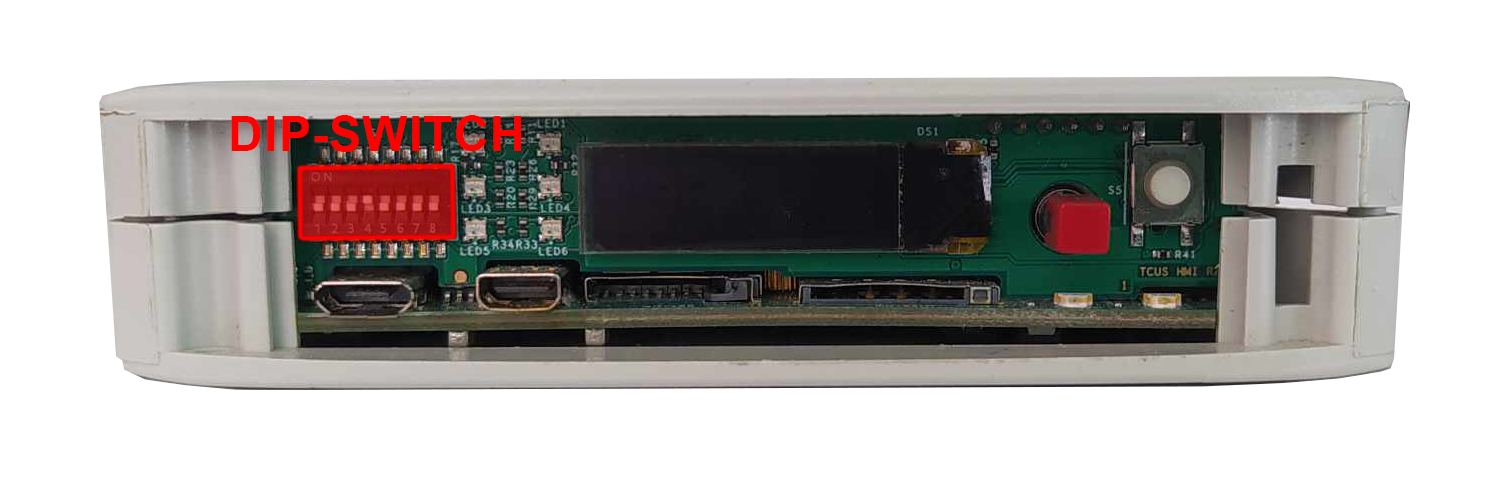
The device has a DIP switches on the front panel which enable the control of various key functions such as:
- booting mode choice
- microUSB signal choice
- choosing Linux console or RS232 signal
- realisation of a user written code
DIP switch placement on front panel
Switch options
|
Switch No. |
Positions |
Descripton |
|---|---|---|
|
1 |
OFF- eMMC boot ON - USB boot |
Boot select - switching between booting device |
|
2 |
2: OFF 3: OFF - SOM USB 2: ON 3: OFF - none 2: OFF 3: ON - UART4 (Linux console) 2: ON 3: ON - ESP UART |
USB select - microUSB signal choice |
|
3 |
||
|
4-5 |
Unassigned |
Currently not used |
|
6-8 |
OFF/ON |
User options |
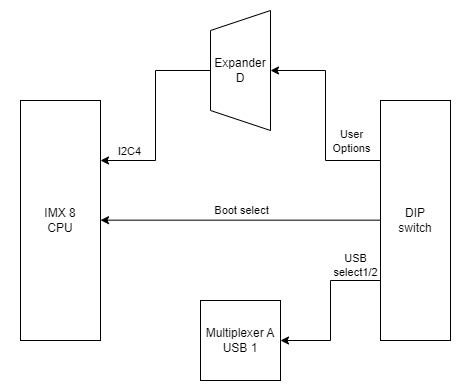
Connections diagram
{{@136#bkmrk-expander-d}}
User defined DIP-Switch options are connected to the expander D which is connected to the CPU via I2C4 interface.
USB1{{@133#bkmrk-usb1}}
USB select 1 and USB select 2 signals are connected to the multiplexer A associated with USB1.
Signal LEDs
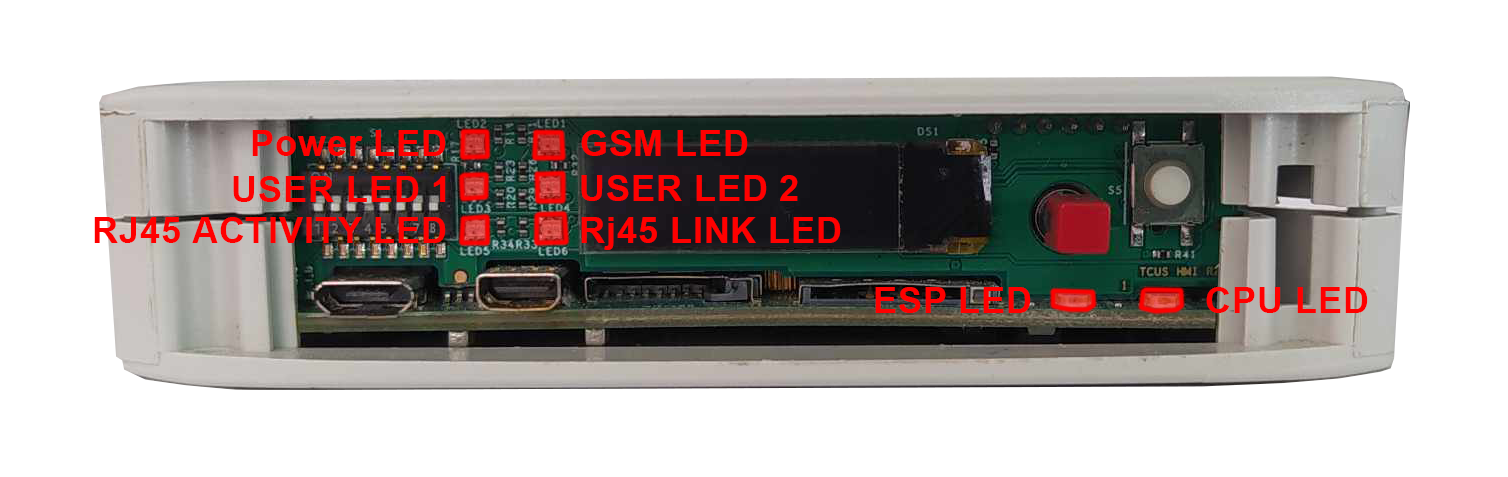
The device is equipped with total of 8 LEDs. 2 of these LEDs are placed on the mainboard, while the other 6 are on the front panel of the HMI board.
LEDs location
LEDs connections
|
Description |
User space name |
|---|---|
|
CPU Led |
gpiochip8 8 |
|
User Led 1 G |
gpiochip7 10 |
|
User Led 1 R |
gpiochip7 5 |
|
User Led 1 B |
gpiochip7 12 |
|
User Led 2 G |
gpiochip7 13 |
|
User Led 2 R |
gpiochip7 11 |
|
User Led 2 B |
gpiochip7 15 |
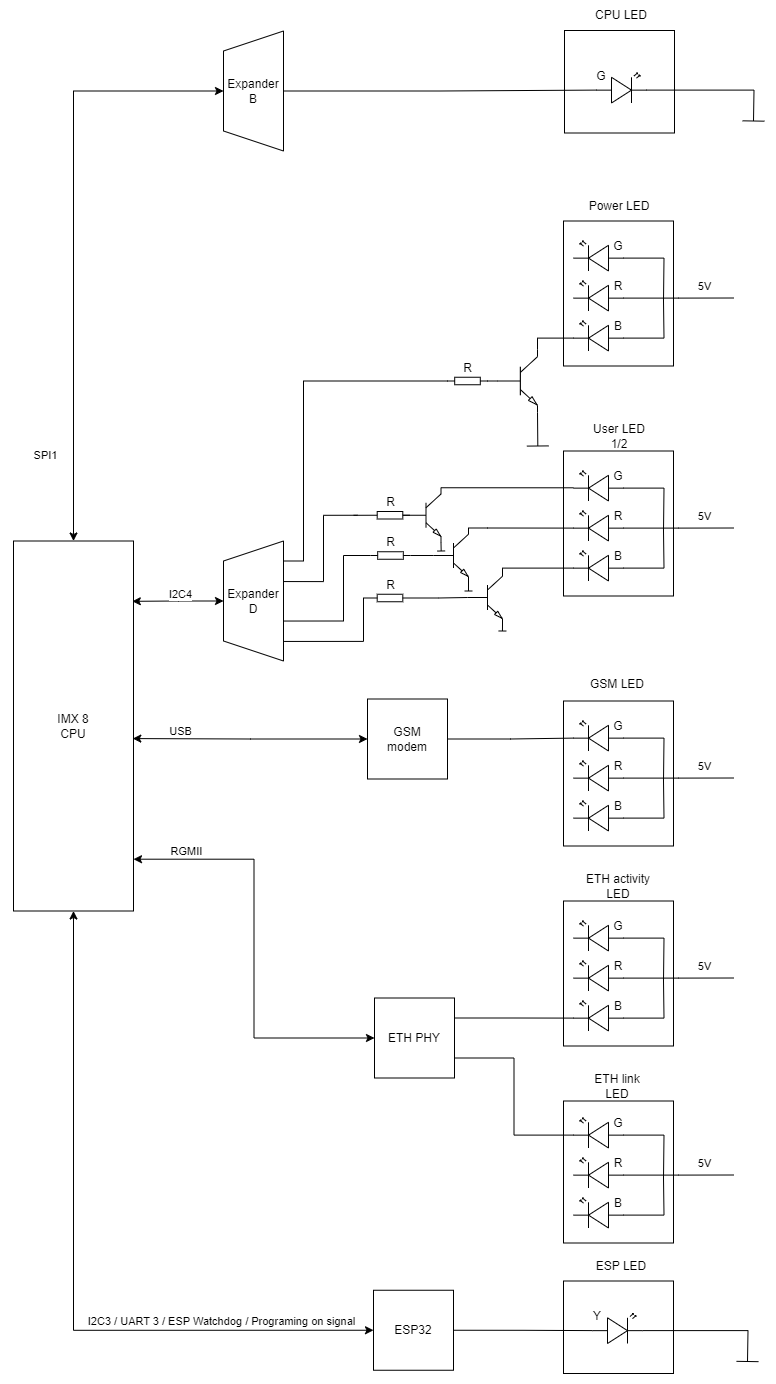
LEDs connection diagram
ESP32
ESP LED is connected directly to the GSM modem.
GSM{{@133#bkmrk-%C2%A0-4}}
GSM LED is connected directly to the GSM modem.
ETHERNET PHY
ETH activity LED and ETH link LED are connected directly to the ETHERNET physical layer.
{{@136#bkmrk-expander-b}}
CPU LED is connected to the expander B which is connected with CPU via SPI1 interface.
{{@136#bkmrk-expander-d}}
Power LED, User LED 1 and User LED2 are connected to the expander D which is connected with CPU via I2C4 interface.
OLED display
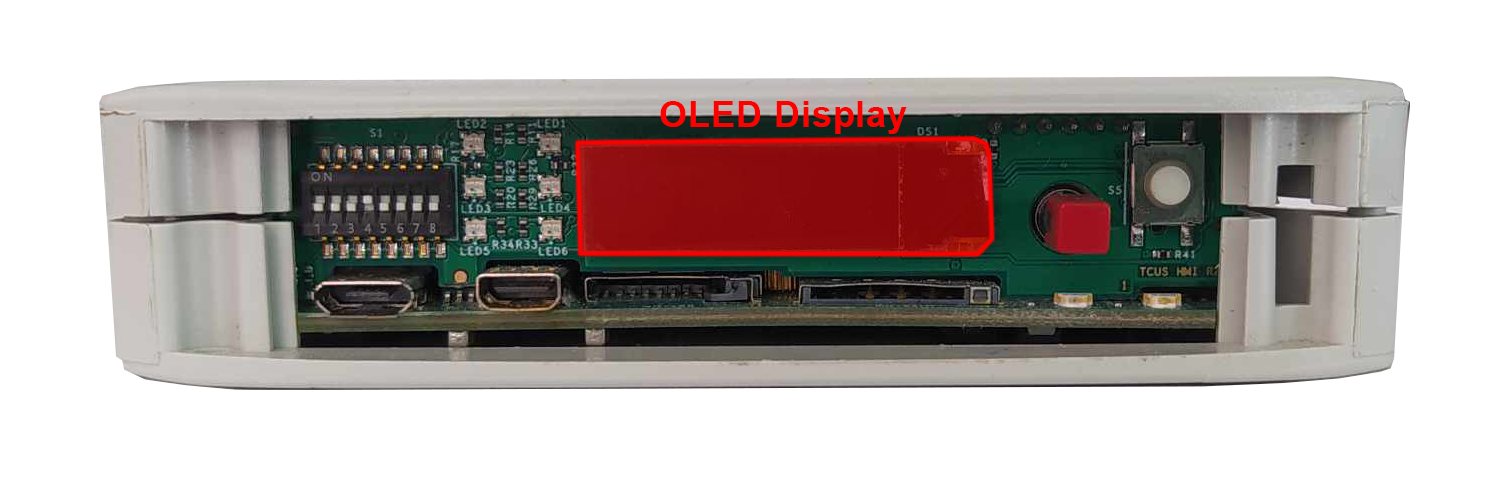
The device is equipped with a 0.87” black and white display with resolution of 128x32 px.
OLED display placement
OLED device
Part number: SCE087002-V01
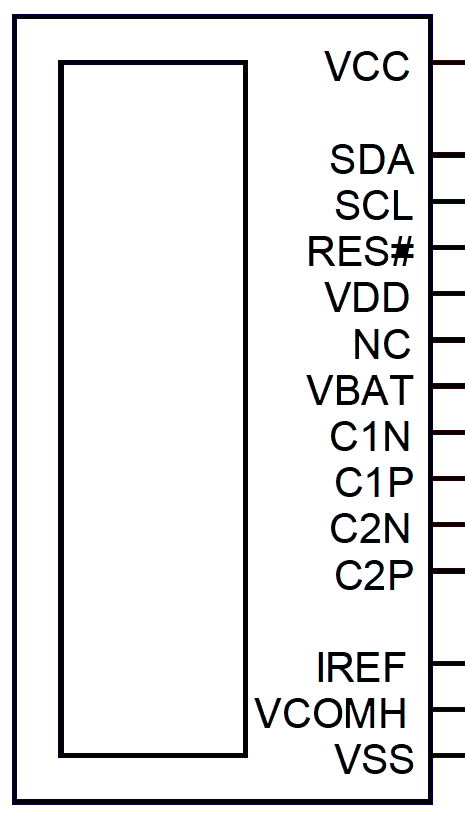
OLED connections table
|
OLED pin |
Description |
User space name |
|---|---|---|
|
RES# |
RESET |
X |
|
SCL |
I2C4 clock |
X |
|
SDA |
I2C4 data |
X |
|
VCC |
OLED ON/OFF |
gpiochip7 14 |
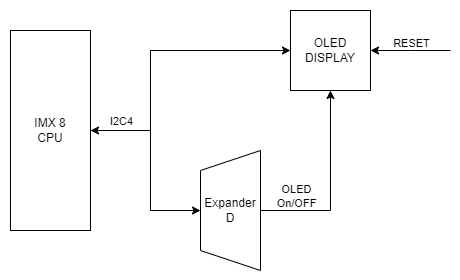
OLED connections diagram
{{@136#bkmrk-expander-d}}
The OLED display is connected to the Expander D which is connected to the CPU via I2C4 interface.
I2C4{{@134#bkmrk-i2c4}}
The OLED display is directly connected to the CPU via I2C4 interface.
Joystick
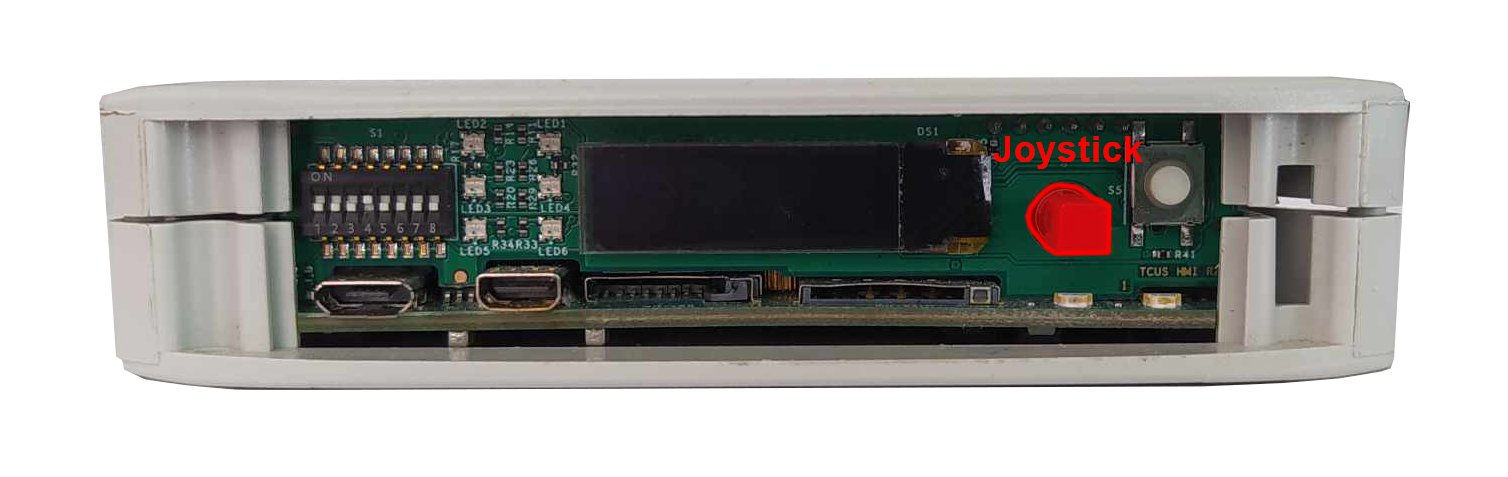
The device is equipped with a joystick used for controlling its functions.
Placement
Device
Part number: INT-1500D
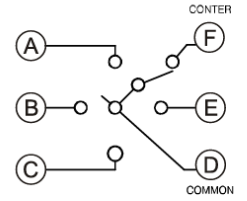
Connections table
|
Joystick signal |
Expander D pin |
User space name |
|---|---|---|
|
Right |
20 |
gpiochip7 3 |
|
Up |
18 |
gpiochip7 1 |
|
Left |
17 |
gpiochip7 0 |
|
Down |
19 |
gpiochip7 2 |
|
Push |
21 |
gpiochip7 4 |
Connection diagram
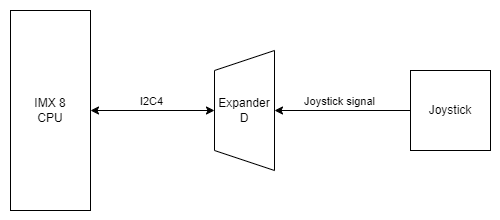
{{@136#bkmrk-expander-d}}
Joystick is connected to the Expander D which is connected to the CPU via I2C4 interface.
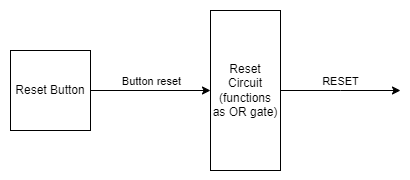
Reset button
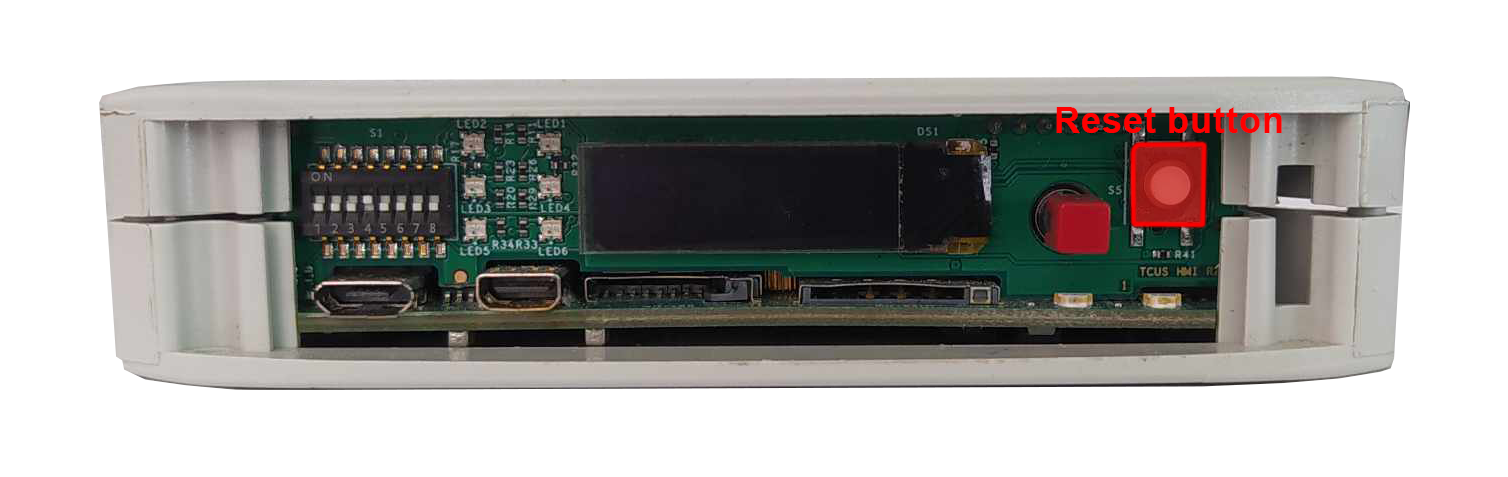
The device has a reset button on the front panel.
Reset button location
Connections diagram