
TCX www
The device hosts a web application that can be accessed by connecting to it through a local network.
Concept
Functionality ideas
- Data presentation:
- get IP → SSH connection
- TCX metadata
- software version
- WIFI connection mode
- Hosting a whole or a partial documentation for it to be available offline.
- Configure peripherals:
- Universal Input output:
- Analog Input 0-10 V
- Analog Input 0-20 mA
- Analog Input resistance measurement
- Analog Input temperature measurement
- RS232/485 baud rate configuration
- Universal Input output:
- Read peripherals:
- Digital Input
- Digital Input Output
- Universal Input Output:
- Analog Input 0-10 V
- Analog Input 0-20 mA
- Analog Input resistance measurement
- Analog Input temperature measurement
- Online terminal
- Updating software (requires finished system)
- Graphs presenting data from the connected meters
- Dashboard (future idea)
Michał to do:
- add node.js
- add Wi-Fi configuration
- potentially migrate to a newer version of OS for proper node.js release
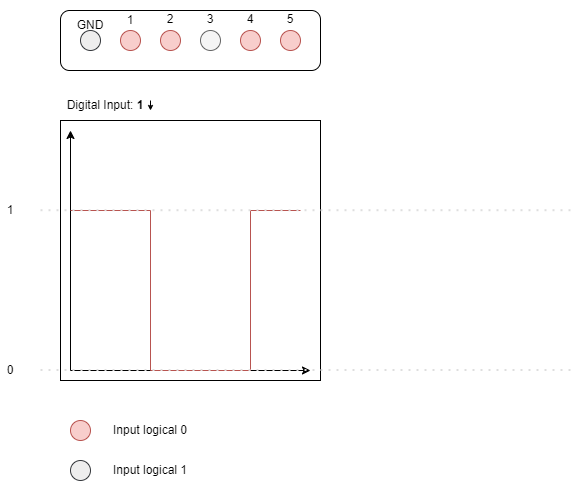
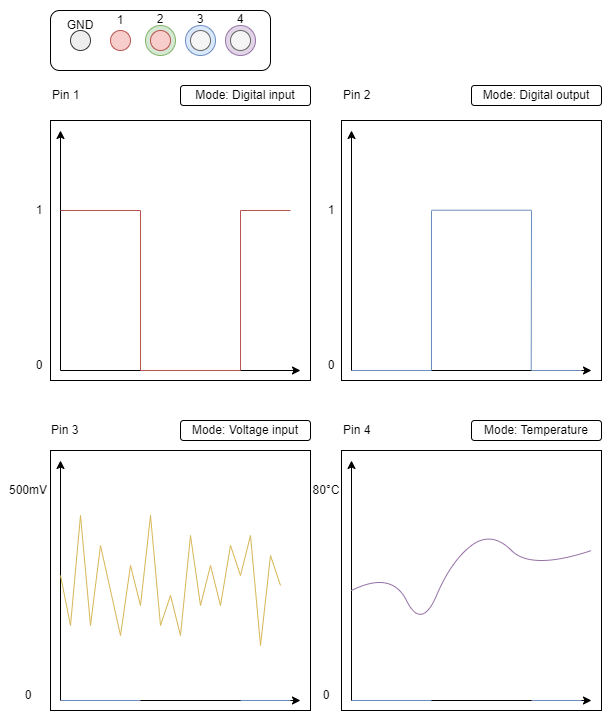
Digital input visualization
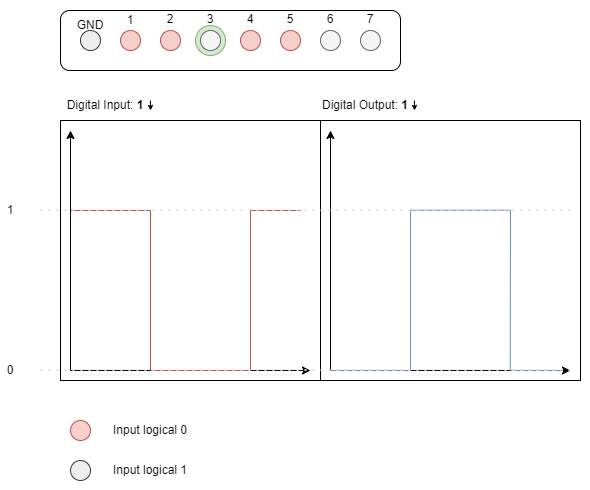
Digital input/output visualization
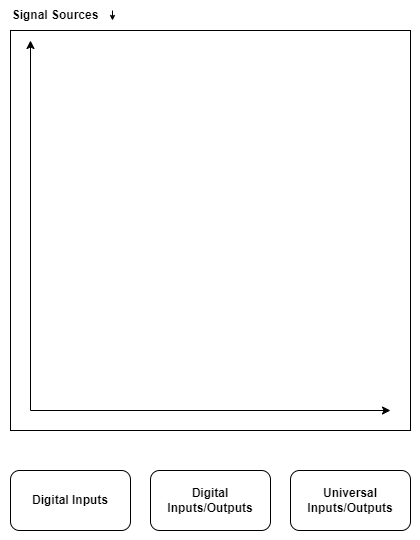
Main screen
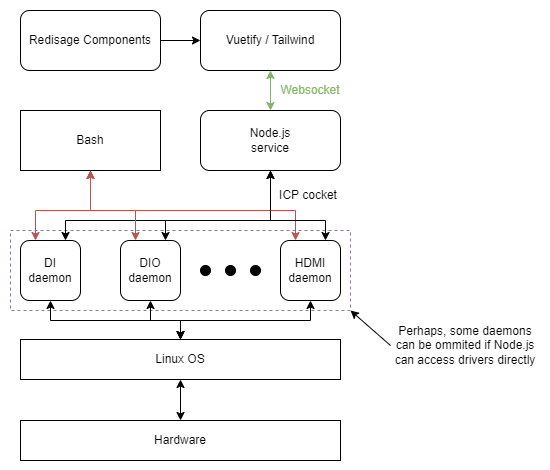
System concept
Universal input/output
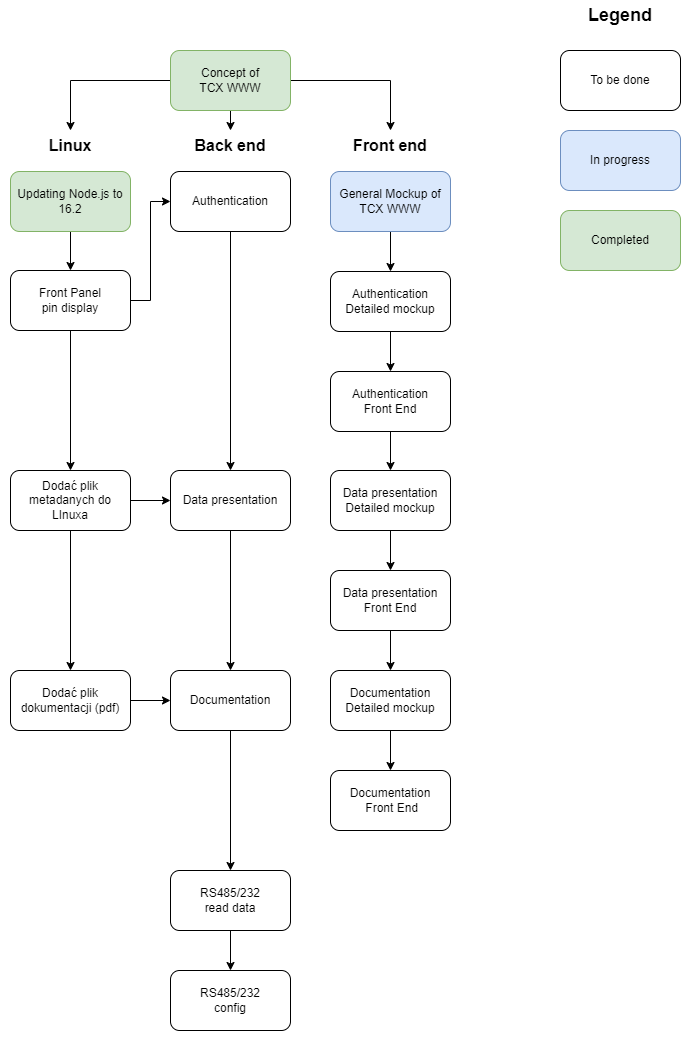
Roadmap
Linux documentation
(...)
Front end documentation
Currently only Vue App is supported.
Frontend-Vue
For this project we are using
- Vue3
- Pinia
- Axios
- Socket.io-client
- ChartJs
- Eslint & Prettier (for styling and code validation)
Those are basic libraries we are using for day - 28.02.2024. For more detailed list of dependencies read package.json file from project directory.
Main assumptions of the project
Frontend-Vue application is example GUI application (SPA) written for basic and sometimes more advanced management of TCX-tiger product.
Graphical interfaces and custom components
For Frontend-Vue application we are using Vuetify and Tailwind libraries with our own configurations and prepared custom components.
Vuetify and Tailwind are not listed inside default dependencies because all configuration is taken from our external library RECO-lib. Therefore, look and custom components feel issues should be reported there.
Project tree
- Fronted-Vue app
- LoginView
- Landing Page
- Login Form
- CoreView (wrapper for entire application after login - with sidebar and toolbar)
- HomeView
- No specification for content yet
- InterfacesView
- Chart of sources
- Redirection to specific interfaces
- Digital inputs
- Digital inputs/outputs
- Universal inputs/outputs
- RS485
- RS232
- 1-Wire
- HDMI-DisplayVIew
- Not sure yet. Check “More Info here“ for updates.
- TerminalVIew
- Single instance of Terminal directed to Server (e.g. xTerm)
- DocsView
- Links to project documentation (?)
- HomeView
- LoginView
Deploy
For deploy Frontend-Vue app should be built and placed inside /opt/example-app/www at TCX-tiger OS.
This way staring server (example-app) will also provide Frontend-Vue as static website.
Contact
For more information contact @Wojciech Rosiński or @Błażej Żurawik.
Frontend-Angular
~ Projekt chwilowo nie rozwijany! ~
Back end documentation
For this project we are using
- NestJS
- json-server
- Express
- Socket.io
- Bcrypt
- Eslint & Prettier (for styling and code validation)
Those are basic libraries we are using for day - 28.02.2024. For more detailed list of dependencies read package.json file from project directory.
Main assumptions of the project
Backend-NestJS is an example Server application written for basic and sometimes more advanced management of TCX-tiger product. This application provides REST and WS API which are accessible through Frontend-Vue (later also by Frontend-Angular).
For storing data (e.g. like JWT tokens or secrets) json-server is used. It is very simple object based DB. We do not need anything more complex and protected for “example-app” purpose but still need some kind of static store.
During startup Backend-NestJS will run json-server instance as well as static Web application (Frontend-Vue). This way one command provides us with entire working example-app.
REST API
(...)
WS API
(...)
Contact
For more information contact @Wojciech Rosiński or @Błażej Żurawik.