
System Console
UART console
Connecting adapter to the device
To display the console via UART an RS232 → USB adapter needs to be connected to the pins of connector shown on the picture below.
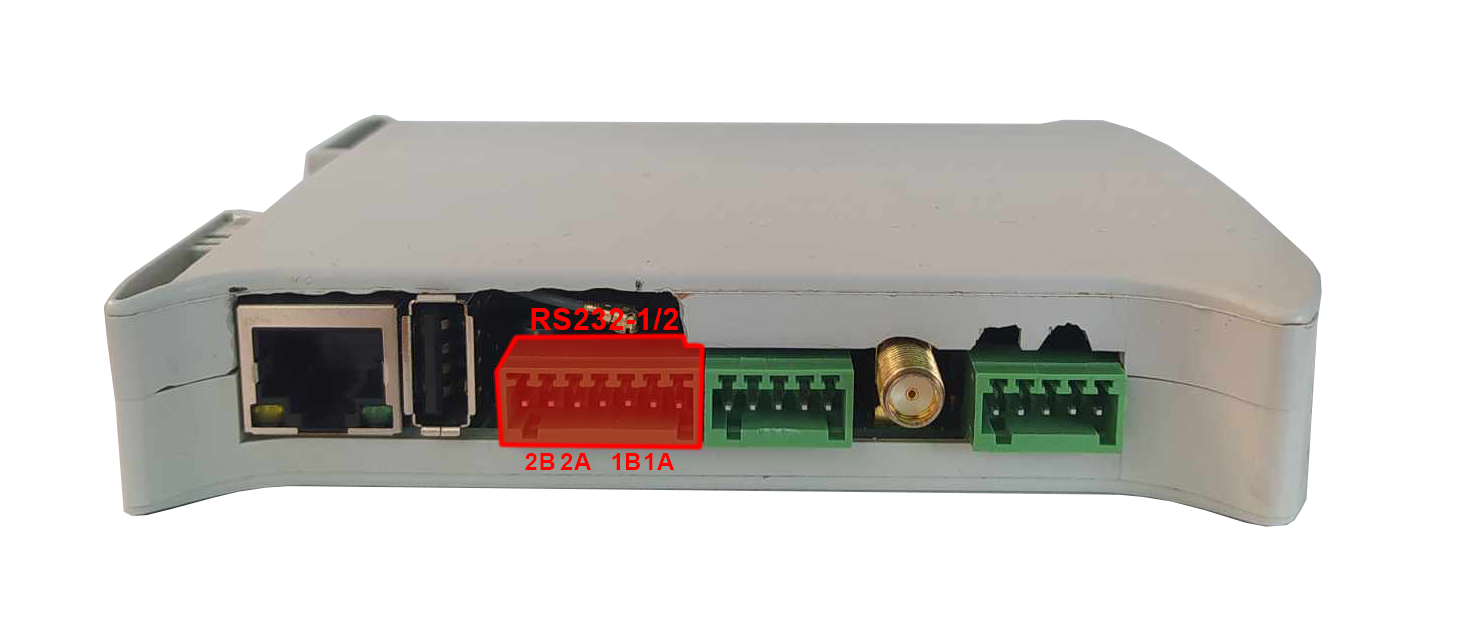
Configuring COM port
A serial port terminal needs to be configured with baud rate of 115200 bps. Then, a booting from the chosen source should be realized according to the instruction.
SSH console
Finding an IP of the device
The device's IP can be obtained via 2 methods:
- connecting to the UART console and inputting “ip a” command when logged as root or other user
- using joystick shown on the picture below the IP can be displayed on the front panel display
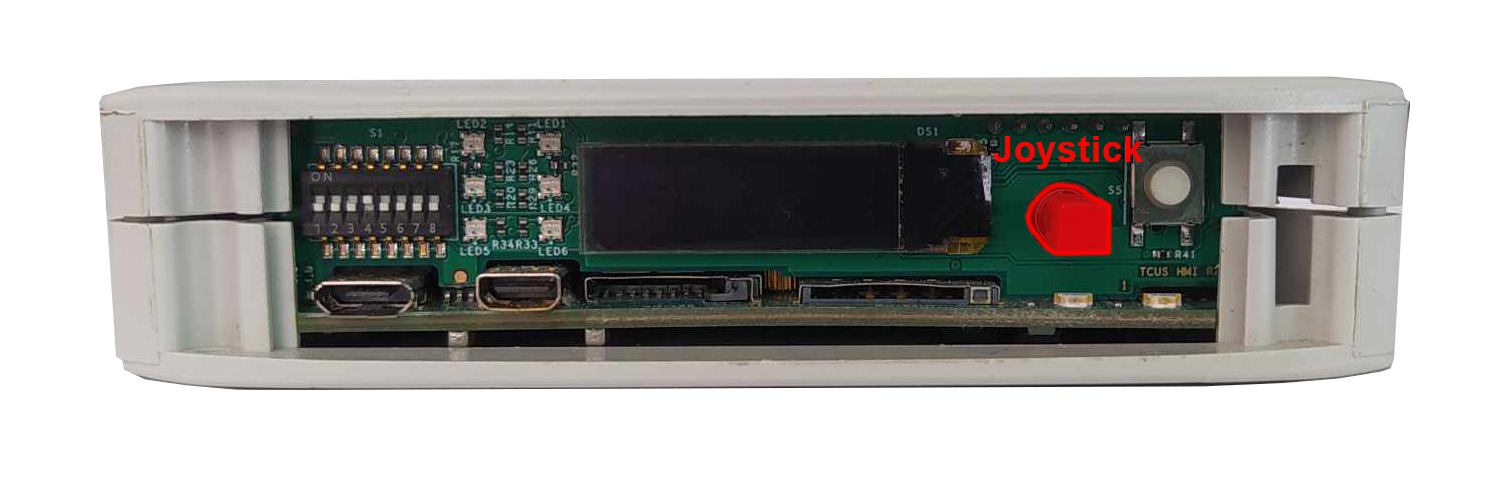
Configuring COM port
A SSH terminal needs to be configured with the IP of the device. Then, a booting from the chosen source should be realized according to the instruction.