Booting
eMMC
DIP switchswitches positionpositions
To boot from MMCthe eMMC the DIP switch No. 1 needs to be in position shown on the picture below.
(...)
Power supply
Connect a power supply to the pins shown on the picture below. The suggested parameters of the power supply are a DC voltage in range 12-24 V.
(...)
First boot
Connected power supply should initiate the first boot.
Console
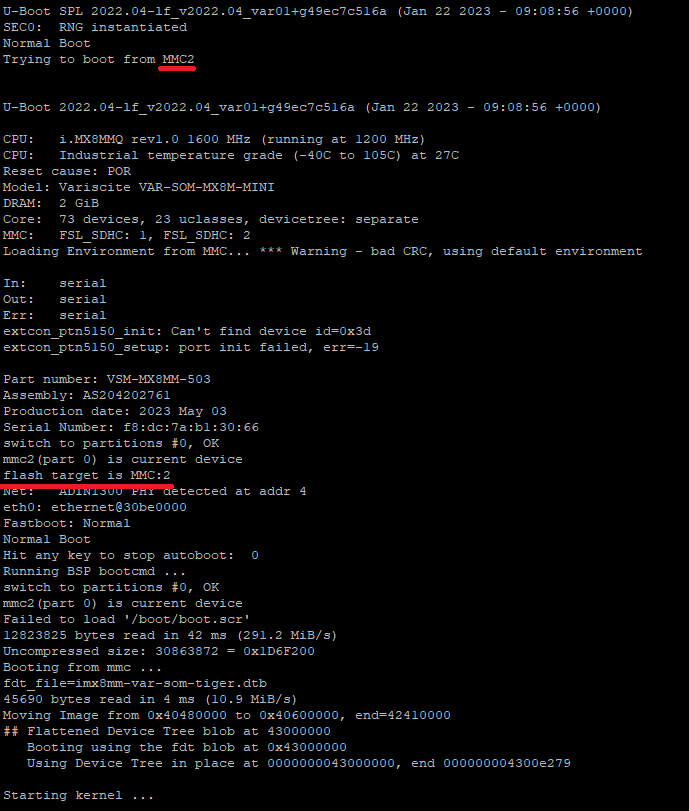
Booting logs are displayed in the console, indicating proper boot from the eMMC, as shown on the picture below.
SD card
DIP switches positions
To boot from the SD card the DIP switch No. 1 needs to be in position shown on the picture below.
(...)
Power supply
Connect a power supply to the pins shown on the picture below. The suggested parameters of the power supply are a DC voltage in range 12-24 V.
(...)
First boot
Connected power supply should initiate the first boot.
Console
Booting logs are displayed in the console, indicating proper boot from the SD card, as shown on the picture below.
(...)
Booting after the power off command
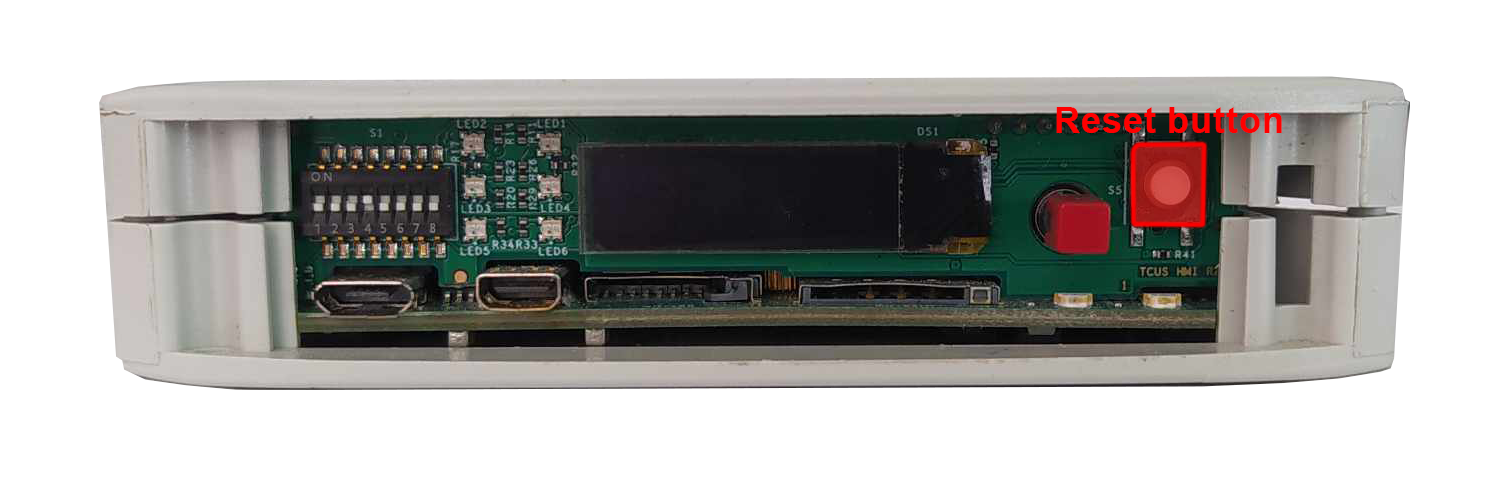
If the device is turned off by inputting power off command in the terminal, the previous boot methods have to be initiated via the reset button placed on the front panel. Its placement is shown on the picture below.