Booting
{{@273#bkmrk-tiger-city-imx-embed}}
eMMC
DIP switches positions
To boot from the eMMC the DIP switch No. 1 needs to be in the position shown onin the picture below.
(...)
Power supply
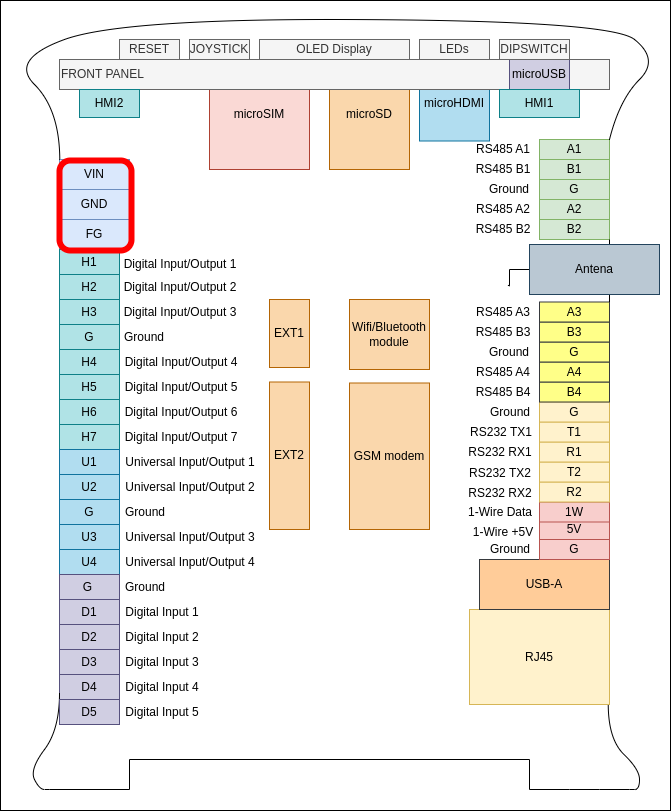
Connect a power supply to the pins shown onin the picture below. The suggested power supply is a DC voltage in the range of 12-24 V.
First boot
ConnectedThe connected power supply should initiate the first boot.
Console
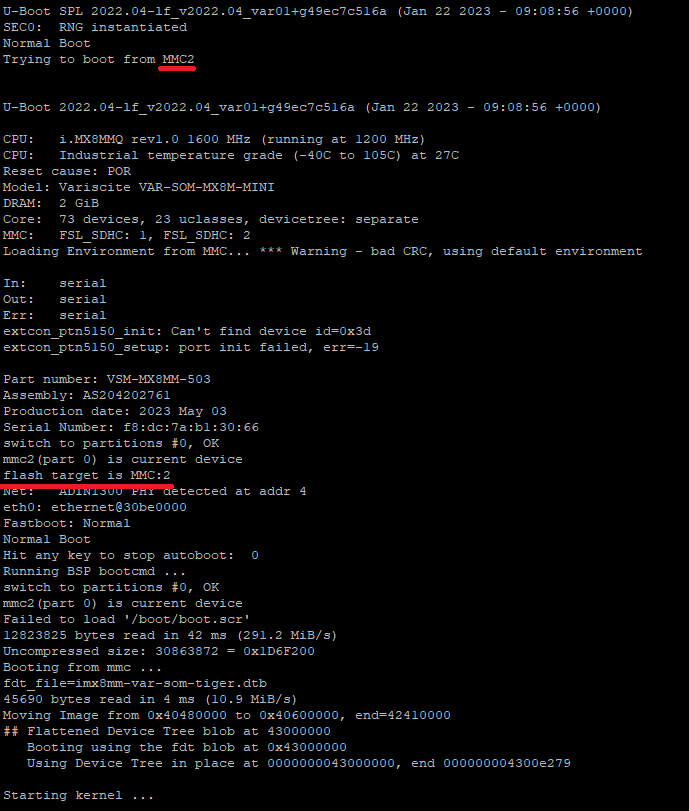
Booting logs are displayed in the console, indicating a proper boot from the eMMC, as shown onin the picture below.
SD card
DIP switches positions
To boot from the SD card the DIP switch No. 1 needs to be in the position shown onin the picture below.
(...)
Power supply
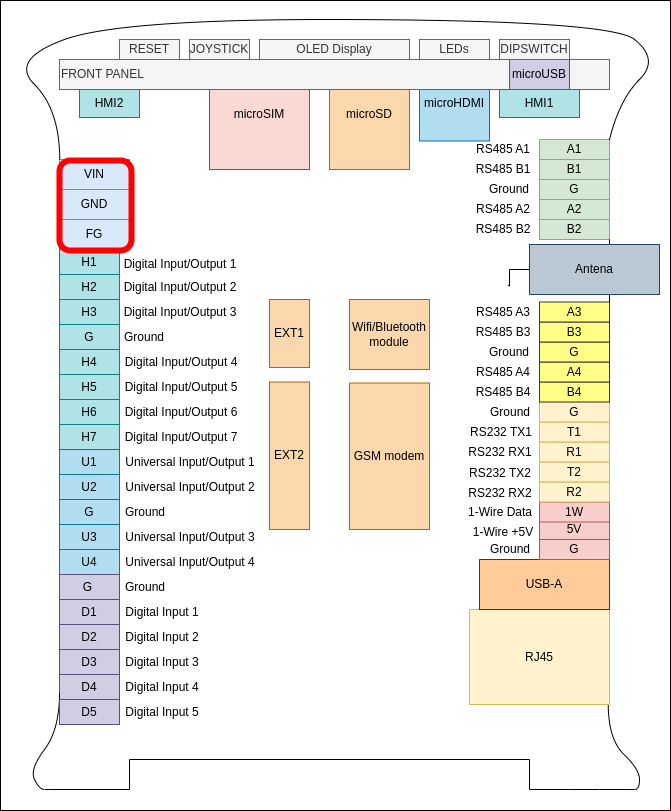
Connect a power supply to the pins shown onin the picture below. The suggested power supply is a DC voltage in the range of 12-24 V.
First boot
ConnectedThe connected power supply should initiate the first boot.
Console
Booting logs are displayed in the console, indicating a proper boot from the SD card, as shown on the picture below.
(...)
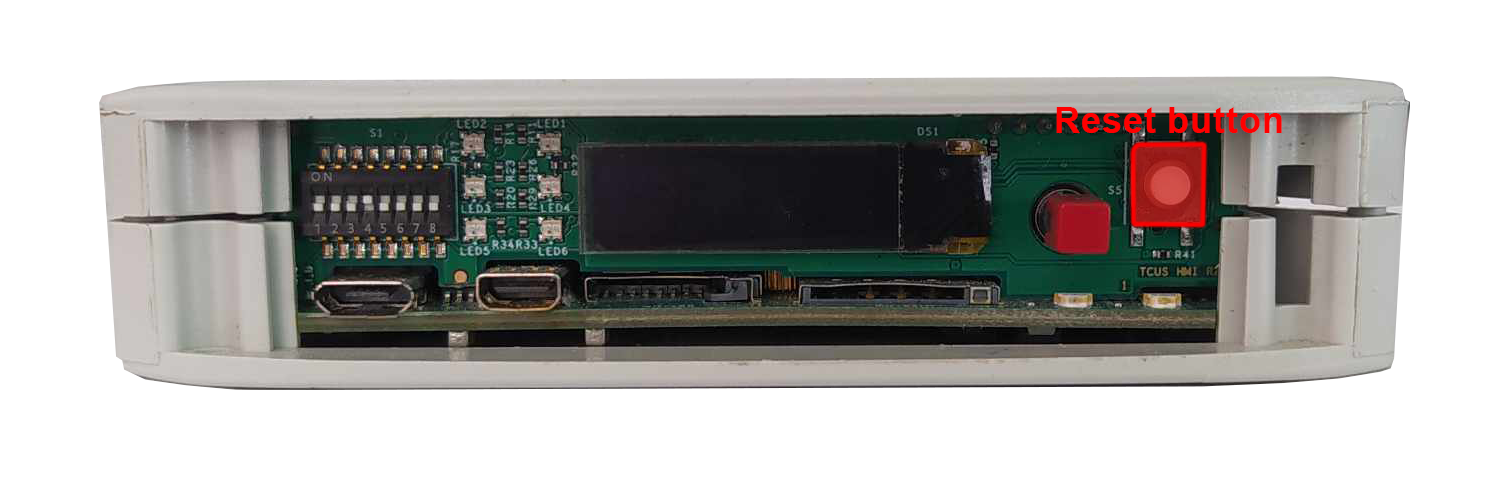
Booting after the power power-off command
If the device is turned off by inputting powerthe power-off command in the terminal, the previous boot methods have to be initiated via the reset button placed on the front panel. Its placement is shown onin the picture below.